Plugins, all the way down
The core is a small host. Tabs, the sidebar, split view, the command bar and connections are plugins you can swap while den runs.
den is an open-source macOS browser built on WebKit, the engine behind Safari, and made of plugins you can swap while it runs. It idles at 20 MB.
Alpha · macOS 26 Tahoe or later · MIT licensed
01 / 08
Pinned tabs remember their page. Today tabs tidy themselves away after a day.
02 / 08
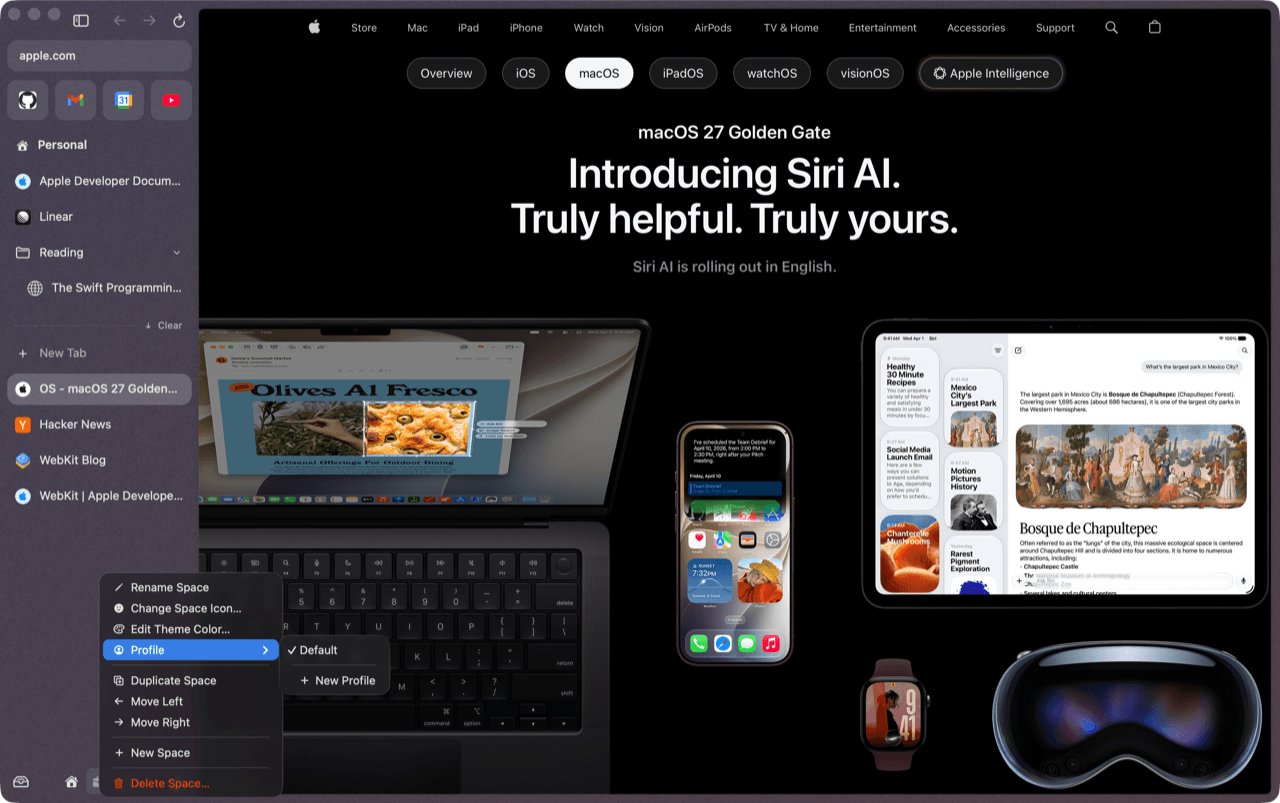
Two fingers, and you're in Work. Every space has its own theme and, if you want, its own profile.
03 / 08
Find a tab in any space, a page you closed, a site, a search, a command or a setting.
04 / 08
⇧-click a link and it floats in a card. Expand it into a tab, split it, or press Esc.
05 / 08
Drop a tab on the page for side by side. Up to four panes.
06 / 08
Rest on a pull request: checks, reviews and conflicts. Nothing is fetched until you hover.
07 / 08
Switch tabs while a video plays and it floats off into the Mac's own picture in picture, on top of everything. Come back and it slides home, still playing.
08 / 08
Slack and GitHub, turned into a summary and a todo list by Apple's on-device model. Written on your Mac.
All of that, in a browser that idles at 20 MB.
20 MBidle, no tabs209 msto first window80 KBper unloaded tab16plugins, swappable liveMeasured on a busy M3 MacBook Air, macOS 26.5. Conditions and comparisons
Download
It browses the web with the sidebar, spaces, split view and command bar. There are no downloads, import or sync yet. Expect rough edges, and please report them.
Requires macOS 26 Tahoe or later.
Or clear the quarantine flag from a terminal:
xattr -dr com.apple.quarantine /Applications/den.appGet the next alpha as an update: add this to ~/.den/config.toml
[updates]
channel = "prerelease"
Prefer to build it? Build from source with Xcode 26 and an Embedded Swift toolchain.
Why den
den keeps the interface people loved in Arc and builds it on four rules.
The core is a small host. Tabs, the sidebar, split view, the command bar and connections are plugins you can swap while den runs.
Load, unload, update or replace any plugin while den runs. Your tabs stay put. Plugin updates swap in live; only den's small core needs a relaunch.
Nothing loads until you need it: plugins, connections, web pages. Settings, previews and the briefing build nothing until you open them.
Idle tabs are unloaded and cost kilobytes, not a whole page in memory. Memory and energy regressions are treated as bugs, with budgets checked by a script.
Hot swap
Save a change to a plugin and den reloads just that piece, live. Your tabs stay put.
swi
Swift.org
The Swift Programming Language
switzerland
Every feature is a plugin, swappable while den runs. How plugins work
Measured, not claimed
den, Dia and Arc, measured the same way, in turn, on the same Mac. Shorter bars are better.
no tabs open
empty space
fresh launch
Total memory of the app and all its helper processes, 10 s after the first window.
in a Little Arc window
example.com open.
Warm launch: the median of the 6 quietest rounds, with the apps launched in turn.
Measured 2026-09-27 on a MacBook Air (M3, 16 GB), macOS 26.5, on AC power. Other builds were running the whole time, so absolute launch times are inflated; all three browsers were launched in turn under the same load. Memory depends much less on load. Cold launch and energy are not measured yet. Every run, raw value and command.
And more
Everything here works in today's build.
Favorites, pinned tabs that remember their page, and Today tabs that archive themselves after a day. Every space gets its own theme and, if you want, its own profile.
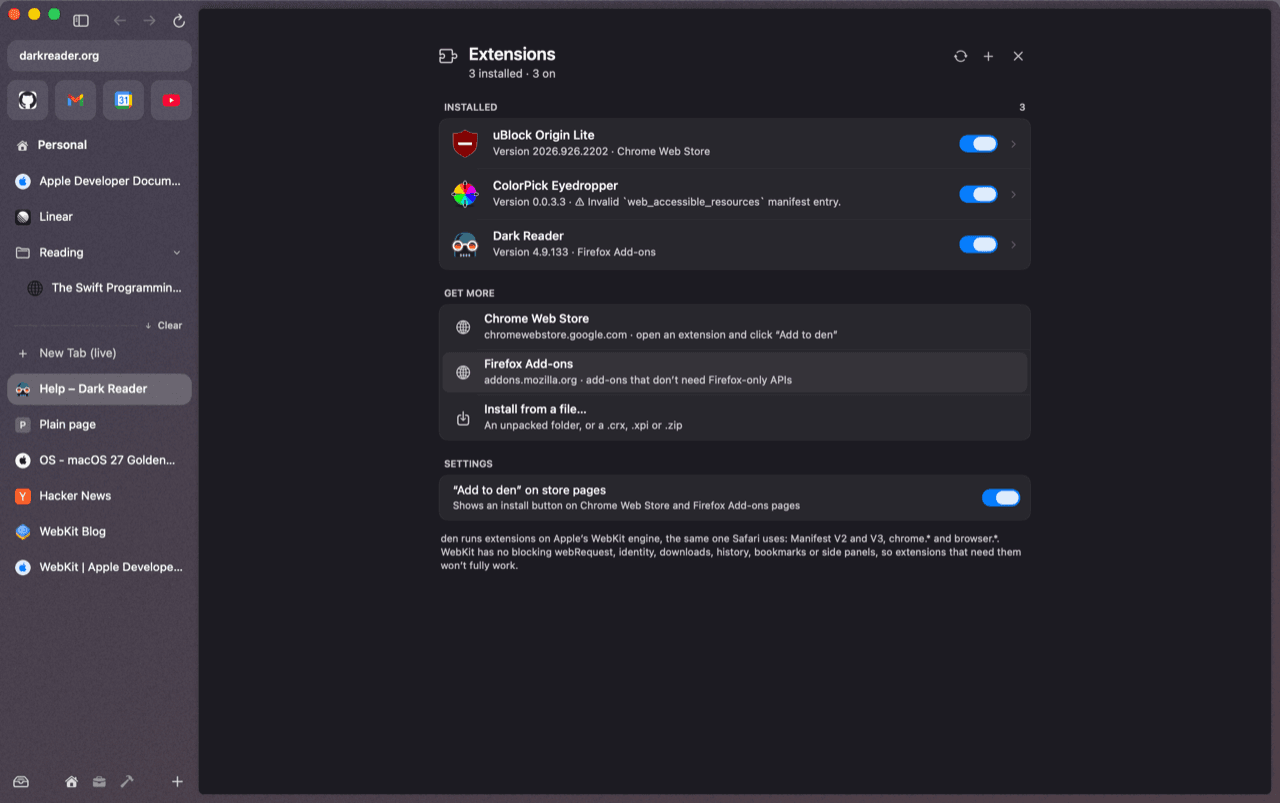
Open an extension on the Chrome Web Store or Firefox Add-ons and click + Add to den. Older and newer extension formats, popups, badges and per-site access.
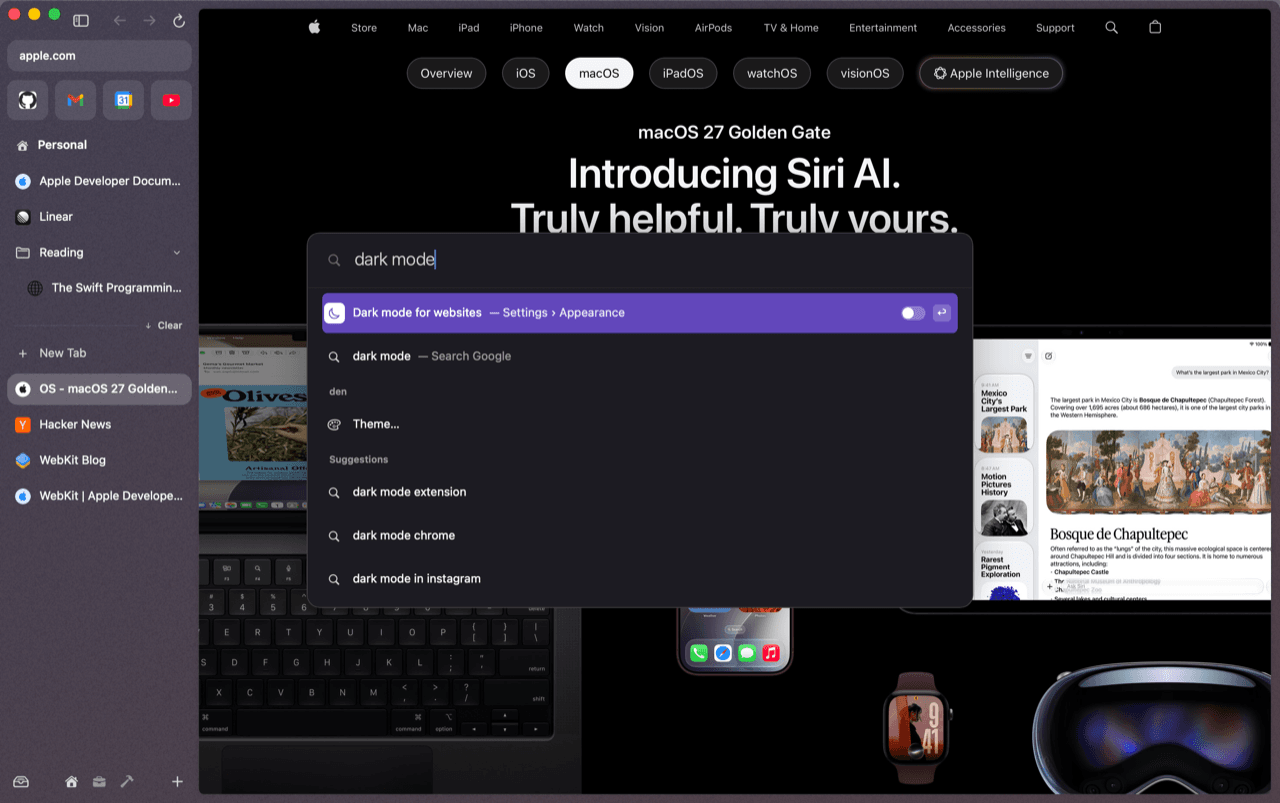
Dark mode for every website, with no white flash. Passwords live in your Keychain and fill after Touch ID.
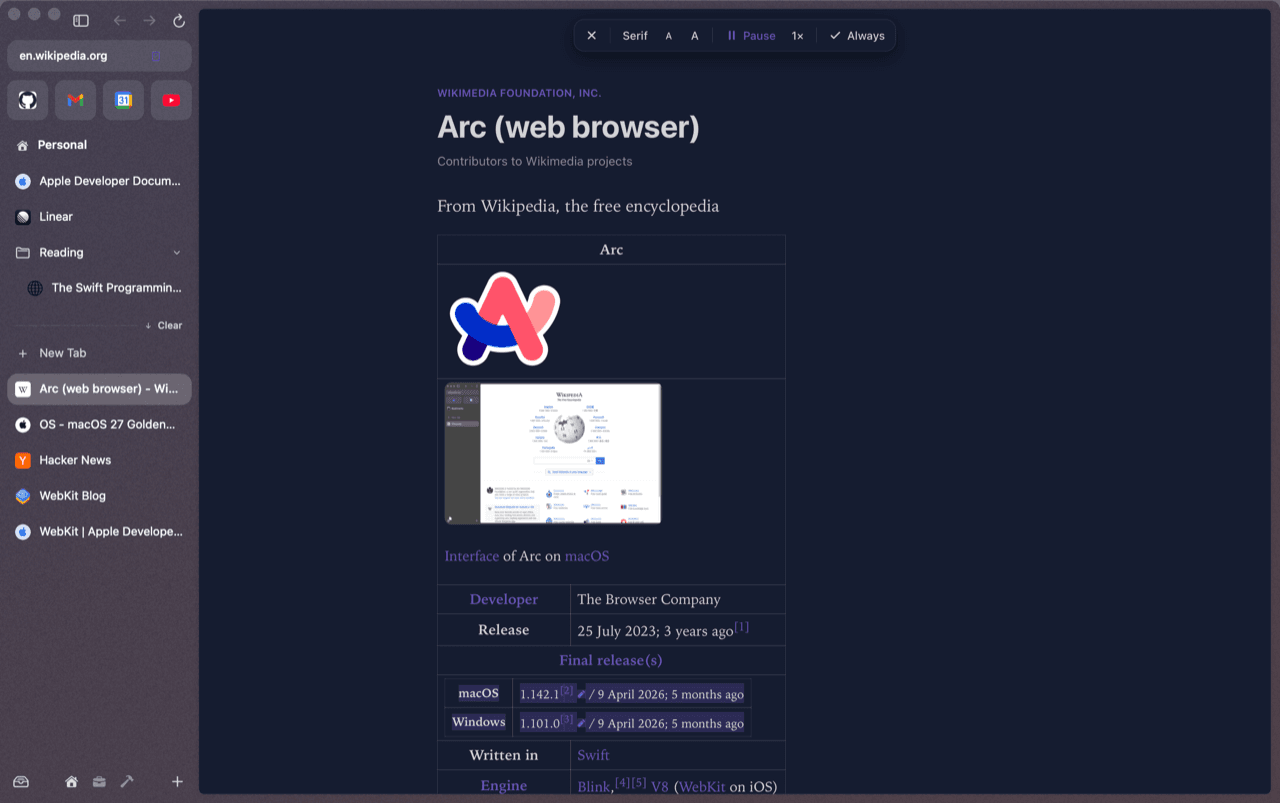
Reader that reads aloud and highlights each sentence. Translation on your Mac with Apple's models. Capture with ⇧⌘2. Zap the elements you never want to see again.
For your agent
den is configured in ~/.den and extended with small Swift plugins it reloads on save. The den skill teaches Claude Code, Codex and other agents exactly how, checked against den's source.
bunx skills add abhishakenp/den --skill den -gThe skills CLI finds skills/den in the repo and asks which agents to install it for.
mkdir -p ~/.claude/skills/den && curl -fsSL https://raw.githubusercontent.com/abhishakenp/den/main/skills/den/SKILL.md -o ~/.claude/skills/den/SKILL.mdA personal skill, available in every project.
mkdir -p ~/.agents/skills/den && curl -fsSL https://raw.githubusercontent.com/abhishakenp/den/main/skills/den/SKILL.md -o ~/.agents/skills/den/SKILL.mdCodex reads user skills from ~/.agents/skills.
Configure
config.toml keys, shortcuts, site-search keywords, update channels and theme presets, all applied live.
Extend
Embedded Swift plugins on CordisKit, built with cordis-build or dropped in as source den compiles for you.
Debug
Where den logs, how plugin layers override each other, and how to rule out your customizations.
Add an mdn search keyword.
~/.den/config.toml [search.keywords]
Put next tab on ⌘⇧J.
~/.den/config.toml [shortcuts]
Make me a warm amber theme.
~/.den/themes/ember.toml
Write a plugin that copies my Today tabs as Markdown.
~/.den/plugins/copytabs/*.swift → hot-reloads
Why didn't my plugin load?
~/.den/logs/plugins.log, build-<id>.log
Docs
One page per area. If a page says something den doesn't do, that's a bug.
Open source · MIT
den is early. Design feedback is the most useful contribution right now: open an issue to discuss an idea or challenge a decision. The roadmap says what’s done and what’s next.
git clone https://github.com/abhishakenp/den.git && cd den && scripts/install.shBuilds, runs the tests, installs to /Applications. Needs Xcode 26 and an Embedded Swift toolchain.